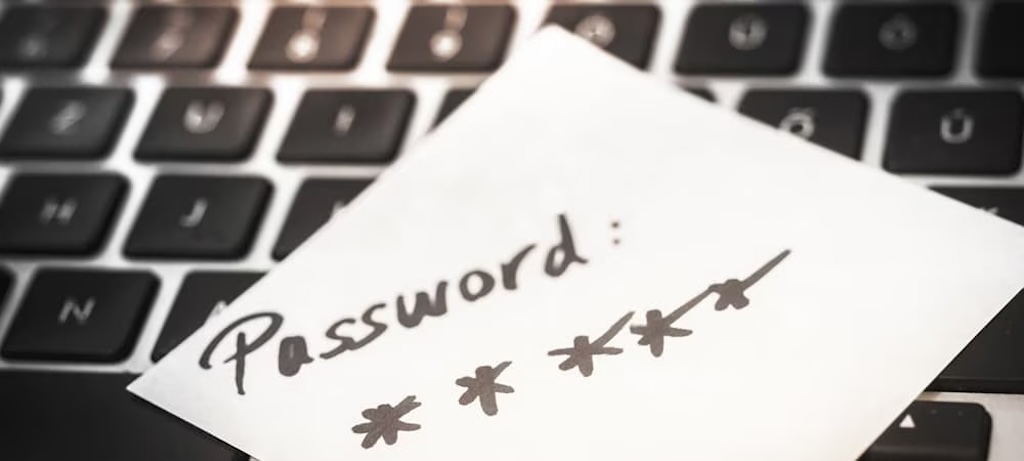
This post was inspired by an entry in LinkedIn, about password protection. I felt that it was worth keeping.
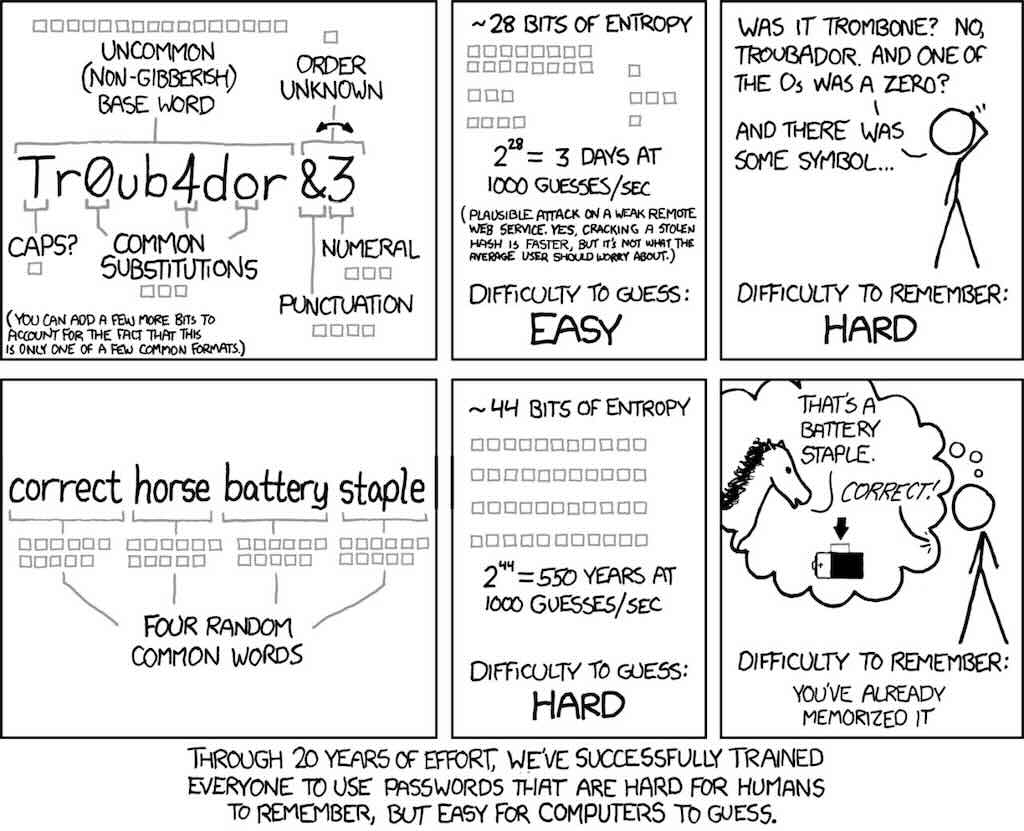
This classic xkcd comic, published in 2011, on password strength made a simple but damning observation: the security habits we had drilled into users for decades produce passwords that are harder for humans to remember than for computers to crack.
Complexity requirements, special characters, forced substitutions: none of it helps.
Four random common words offer more entropy and stick in human memory far better than using “Tr0ub4dor&3,” as a clever passwordy transformation of “Troubadour”.
The lesson should be that anything making passwords harder to remember is working against security, not for it.
Designing web UX that blocking pasting in password fields makes exactly that flavour of mistake. Users who can’t paste will be less likely to use password managers, will type shorter passwords, reuse ones they’ve already memorised, or make tiny, predictable variations on a familiar string, all of which reduce security in measurable ways.
The security community reached this conclusion long ago: both NIST’s SP 800-63B and the UK’s NCSC explicitly require or recommend that sites permit pasting, precisely because it enables password managers to do their job.
The designers who add paste-blocking likely imagine they are stopping some form of attack, but no credible threat model requires a human to manually type each character. What the restriction does accomplish is punishing the users most likely to be doing the right thing: those relying on a password manager to generate and store a long, unique credential for every site.
Cut&Paste from Comments
This is one place where XKCD got it wrong (or made a bad assumption). People don’t choose “four random words” in a totally random order – so they don’t have a keyspace of 100,000 to the power 4. Most people have a vocab of, say, 10,000 words of which they will “randomly” choose from, say, 1000, and tend to choose a non-random order. They don’t choose correcthorsebatterystaple… they are more likely to get mycatlikestreats.
Not everyone finds memorising four truly randomly-chosen words in random order easier than memorising initials from a weird phrase that can be related to the account. (Remember, this cartoon was from the era when people still expected to memorise passwords for many different accounts). For example, turning a phrase such as “there’s surely no way anyone would agree to this” into “tSURELY!wayne1wouldAG2this” – though admittedly this approach was problematic back when many sites had ludicrously short password length limits for reasons that could never be explained.
Sadly, many sites still force you to mix up many character types (although NIST now explicitly agrees that “structured randomness” is a contradiction in terms). I always feel a sense of cyberbufoonery when a web service tells me “P4ssWord!” is “very strong” but when I paste in 32 hex digits taken directly from /dev/random (more entropy than you get in a UUID), it insists my choice is “too weak to use, try again”.
The point is that these “password strength meters”, which pitch themselves as authoritative, are just bollocks because they have no context – so they reject passwords that may “look” bad but are top-quality random numbers, and accept passwords that “look” good but might be easy to guess from your interests, existing writings, or whatnot.
Diceware is a cool idea but the passphrases are astonishingly hard to memorise.
Unless it is known that an person is using a passphrase I think it is far more likely that other attack methods will be employed first and typically eat up too much time to get to a token attack. It’s pretty easy to foil a passphrase token attack. You simply need one word that isn’t in an attacker’s dictionary. I have a passphrase that use two wirds from two obscure foreign languages.
Use X random words from a password manager for example, definitely not a simple sentence with subject-verb-object. The weirder the words the better the image they create and thus the easier you remember them. xkcd’s example is a very good one.
One comment concluded – It appears that it is best to use maximum length and complexity for passwords (80 bits or more, preferably 112 bits of Shannon entropy, and preferably generated using a reputable local tool), and given the data breaches that happen rather often, to use a different password for each system or site. Or, to use a FIDO2/WebAuthn hardware token passkey.
Complex and confusing password rules combined with periodic change policies and no-paste-allowed design results in users relying on sticky notes, and seeking new places to hide them out of sight for the security policy enforcers. Meanwhile, the password reset “security questions” are pathetic: five minutes on Facebook and a genealogy website will provide the answers in most cases (nobody should be using those today; if you are forced to do so the best policy is never provide true answers for those questions–this yet another sticky note somewhere in the file drawer). The result: reduced security!
The initial assumption is that the attacker is using dictionary, brute-force, hybrid attacks, and rainbow tables. That’s the point of the comic’s “28 bits of entropy”, observation that trying 1,000 guesses per second will yield a match in a comparatively short time. Every character of length you add functionally doubles the number of tries necessary.
The better architecture is passwordless with a second or third factor. Passwords are dumb. storing them is dumb. asking people to change them guarantees that they will just add a 1 to the end, then a 2. Passwordless with time limits and two factor.
In addition to what other people are saying here this strategy essentially only works if few people are using it. The words that most people use most often x4 is a much shorter dictionary for generating likely passwords than the 2 to the power 38 guesses for the initial password. However keeping a couple mutators (added numbers capitals or special characters) in the list rapidly pushes the entropy up again.
Randomly generated 5 word passphrase for the password manager, and unique random 20 characters as passwords is the way to go right now. And don’t forget MFA (SMS doesn’t count).